
Transitioning away from the “PowerPoint crutch” is critical for executive presence.
When leaders rely on slides, they shift from commanding attention to simply reading information.
The “PowerPoint Crutch” has been called the single most important habit executives should break, as it encourages leaders to turn their backs on the audience and read bullet points as if the screen were the world’s largest teleprompter.
To establish real authority, you must prioritize disciplined preparation over slide generation for several key reasons:
1. Eliminate the Illusion of Control
Overreliance on PowerPoint can create a dangerous illusion of understanding andcontrol without providing real command of the situation.
In high-stakes environments, such as military operations, commanders have noted that PowerPoint stifles discussion, critical thinking, and thoughtful decision-making.
General James Mattis famously stated that “PowerPoint makes us stupid,” while General H.R. McMaster banned its use to ensure leaders engaged with the complexity of problems rather than reducing them to “bullet-izable” lists.
True authority is demonstrated when a leader can argue, discuss, and lobby for their key points without needing a slide to validate them.
2. Ensure Real Connection, Especially Online
The “crutch” becomes even more detrimental in virtual settings. When presenters allow graphics to consume 95% of the screen, the audience loses visual contact with the leader.
This creates a gap between intent and perception, where:
- Confidence feels flat.
- Trust fades for reasons no one can name.
- The human signal is misaligned or hidden behind data.
If your leadership team is struggling to connect with remote employees, remember:
The solution isn’t more slides, it’s better delivery.
3. Correct the Preparation Workflow
The “crutch” often stems from a flawed preparation process in which PowerPoint is used as a word processor to draft the speech. Disciplined preparation reverses this workflow, making the message drive the medium, not the other way around.
A more effective process looks like this:
- Outline first
Develop an outline focused on three key points and a clear call to action. - Script and timing
Write or dictate the script, and time it aloud before opening PowerPoint. This ensures the narrative flows logically and fits the allotted time. - Graphics last
Only turn the finished script over for graphic creation after the narrative is set. - Separate functions
Don’t confuse presentation slides with leave-behind documents.
- A graphic intended for the audience cannot effectively serve as a document.
- Supporting graphics should ideally include no text, similar to a Steve Jobs product introduction.
4. Validate Expertise Without Slides
Leaders are content experts, but they lose the opportunity to engage that expertise when they focus on reading slides.
Historical examples, such as Abraham Lincoln, demonstrate that the most effective public speaking comes from deep preparation: knowing what you’re going to say and why you’re saying it, rather than speaking off the cuff or reading text.
A Simple Analogy
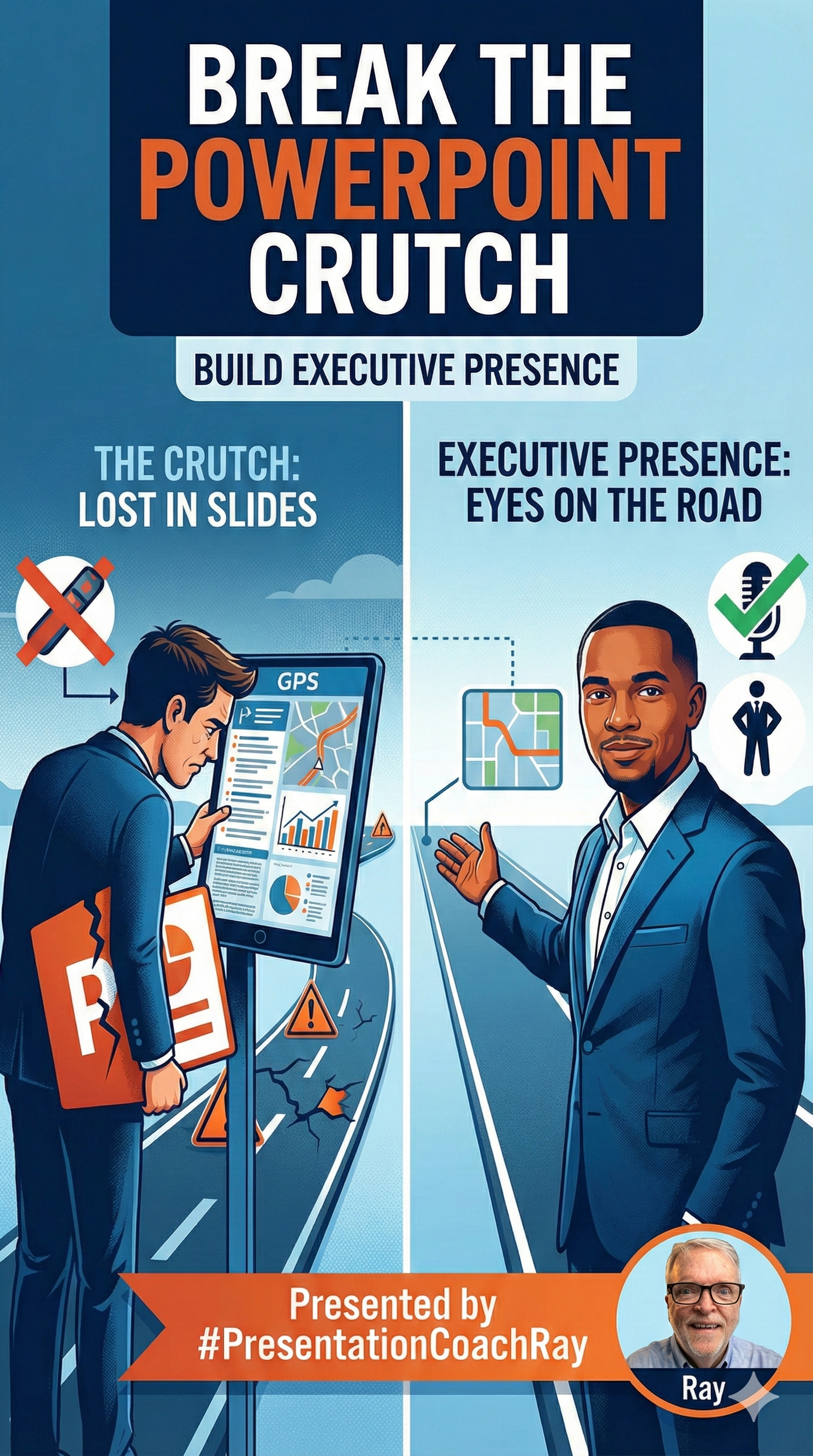
Using PowerPoint as a crutch is like a driver staring at their GPS navigation screen instead of the road.
- The data might be accurate.
- But the driver loses awareness of the environment.
- They miss critical hazards.
- They fail to lead passengers safely to their destination.
Disciplined preparation ensures you have internalized the map, allowing you to keep your eyes on the road and on your passengers.
When you break the PowerPoint habit, you stop hiding behind slides and start showing up as a leader.
- Similar to a Steve Jobs product introduction.
- Validating Expertise Leaders are “content experts,” but they lose the opportunity to engage their expertise when they focus on reading slides.
Historical examples, such as Abraham Lincoln, demonstrate that the most effective public speaking comes from deep preparation, knowing “what you’re going to say and… why you’re saying it”, rather than speaking off the cuff or reading text.
Analogy: Using PowerPoint as a crutch is like a driver staring at their GPS navigation screen instead of the road. While the data may be accurate, the driver loses situational awareness, misses critical hazards, and fails to safely lead passengers to their destination. Disciplined preparation ensures you have internalized the map, allowing you to keep your eyes on the road and your passengers.
Presented by #PresentationCoachRay
#PowerPoint #Keynote #Presetations #SpeechCoach
Subscribe to continue receiving useful professional content from #PresentationCoachRay.


 #PresentationCoachRay
Well done!
Beverly JF Duncan BjFDuncan@gmail.com 954.610.1586
LikeLike